
| Brand | Key Features | Ideal For | Buy |
|---|---|---|---|
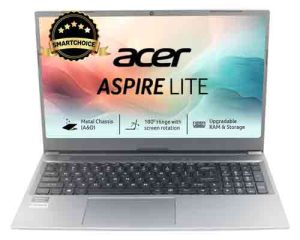
| Acer Aspire Lite | Ryzen 5 5625U, 16GB RAM, 512GB SSD, Metal Body | Power Users, Students, Professionals | Buy on Amazon |
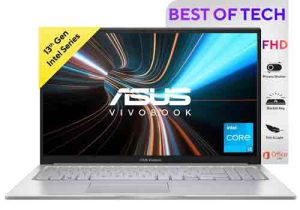
| ASUS Vivobook 15 | 13th Gen i3, 8GB RAM, 512GB SSD, Backlit Keyboard | Students, Office Work, Everyday Use | Buy on Amazon |
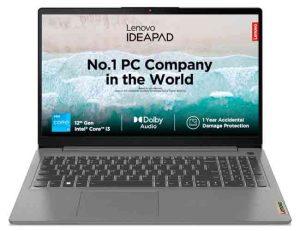
| Lenovo IdeaPad Slim 3 | 12th Gen i3, 8GB RAM, 512GB SSD, Dolby Audio | Study, Home Office, Light Editing | Buy on Amazon |
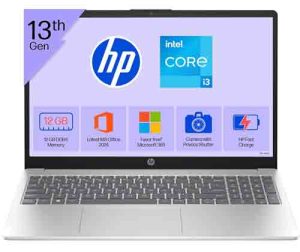
| HP 15 | 13th Gen i3, 12GB RAM, 512GB SSD, FHD Display | Multitasking, Business, Long-Term Reliability | Buy on Amazon |

💻 Best Laptops Under ₹30,000 in India (2025)
Looking for a reliable, stylish, and fast-performing laptop under ₹30,000? Whether you’re a student, professional, or casual user — these laptops bring you the perfect blend of performance and value. Let’s look at the Top Picks You Can Buy on Amazon Right Now!
🥇 1. Acer Aspire Lite (Ryzen 5 5625U, 16GB/512GB SSD, Windows 11 Home)
The Acer Aspire Lite delivers unbeatable value under ₹30K. Powered by the AMD Ryzen 5 processor and 16GB RAM, it’s perfect for multitasking, office work, or streaming. Its premium metal build and ultra-slim design make it a stylish companion for students and professionals alike.
🔑 Key Features:
⚡ AMD Ryzen 5 5625U (6 cores, up to 4.3GHz)
💾 16GB DDR4 RAM, 512GB NVMe SSD — Upgradable
🖥️ 15.6” Full HD Display, Thin Bezel, Anti-Glare
🎧 HD Audio, Built-in Mic with Noise Cancellation
🔋 Up to 7 Hours Battery Life, Lightweight (1.59kg)
✅ Why Buy: The most powerful laptop under ₹30K with a premium metal body and 16GB RAM — ideal for long-term use.
🥈 2. ASUS Vivobook 15 (13th Gen Intel i3-1315U, 8GB/512GB SSD, Backlit Keyboard)
The ASUS Vivobook 15 is known for its sleek design, vivid Full HD display, and responsive performance. It’s great for students and professionals who need a modern, reliable laptop under budget.
🔑 Key Features:
⚙️ Intel Core i3-1315U (13th Gen, up to 4.5GHz)
💾 8GB RAM, 512GB SSD (PCIe 4.0)
💡 Backlit Keyboard, Anti-Glare 15.6” FHD Display
🔒 Pre-installed Windows 11 + Office 2021
🔋 60Hz Screen, 1.7kg Lightweight Design
✅ Why Buy: Stylish, durable, and backed by the latest Intel chip — perfect for students and everyday users.
🥉 3. Lenovo IdeaPad Slim 3 (12th Gen Intel i3, 8GB/512GB SSD, Office 2024)
The Lenovo IdeaPad Slim 3 is a strong all-rounder with the latest 12th Gen Intel processor and rapid charging support. Designed for work, study, and entertainment — it’s light, thin, and comes with a privacy shutter webcam.
🔑 Key Features:
⚙️ 12th Gen Intel Core i3-1215U (6 Cores, 8 Threads)
💾 8GB DDR4 RAM (Upgradable), 512GB SSD
💡 15.6” FHD Anti-Glare Display, Dolby Audio
🔋 Up to 5 Hours Battery + Rapid Charge Support
🔐 Windows 11, Office 2024, 1-Year ADP Warranty
✅ Why Buy: Great for office and study use, with solid build, long battery, and excellent post-purchase support.
🎯 4. HP 15 (13th Gen Intel i3, 12GB/512GB SSD, Office 2024, Silver)
The HP 15 is a premium all-rounder that offers solid performance with 12GB RAM and a bright micro-edge FHD display. It’s slightly above ₹30K but well worth it for its brand reliability and smooth multitasking.
🔑 Key Features:
⚙️ Intel Core i3-1315U (13th Gen, up to 4.5GHz)
💾 12GB DDR4 RAM, 512GB SSD
🖥️ 15.6” FHD Anti-Glare Display, Intel UHD Graphics
💡 Windows 11 Home + MS Office 2024
🌐 Wi-Fi 6, Bluetooth 5.3, Lightweight (1.59kg)
✅ Why Buy: Trusted HP performance, great display, and extra RAM make it ideal for multitasking and productivity.
💡 Final Verdict
If you’re on a tight budget under ₹30,000, the Acer Aspire Lite (Ryzen 5, 16GB RAM) is the clear winner — offering flagship-level performance at an entry-level price.
If you can stretch a little, the ASUS Vivobook 15 or Lenovo IdeaPad Slim 3 add modern design and the latest Intel chip for under ₹32K.
And for long-term reliability — the HP 15 remains a trusted professional-grade pick.
FAQ | Best laptop under 30000 with SSD
1. What is the best laptop under 30000 with SSD?
The best laptop under 30000 with SSD is the Acer Aspire Lite, ASUS Vivobook 15, Lenovo Ideapad and HP 15.
2. What are the benefits of using SSD over HDD?
The benefits of using SSD over HDD are numerous. SSDs are much faster and more efficient than HDDs, and they use less power, which can lengthen the battery life of your laptop.
3. How do I choose the right size SSD for my laptop?
When choosing the right size SSD for your laptop, it is important to consider the capacity you need and the price you are willing to pay. For most people, a 120GB or250GB SSD should be plenty of space.
4. What are some of the best budget laptops with SSD?
Some of the best budget laptops with SSD are the Lenovo Ideapad 3 and the HP Chromebook 14. Both are great options if you’re looking for a fast and reliable laptop on a tight budget.